

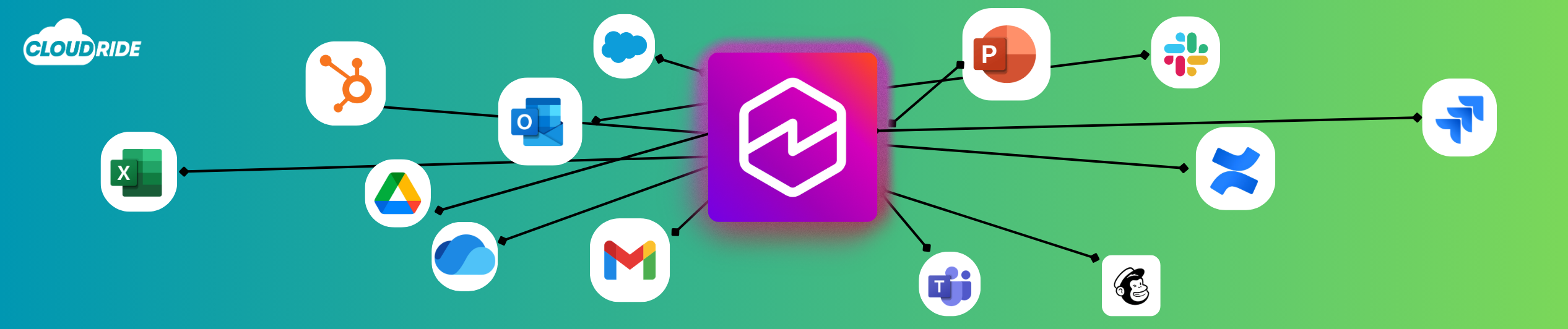
The era of AI being confined to a single browser tab where you constantly copy and paste text is over. Launched in Preview in April 2026, Amazon Quick Desktop acts as a native macOS and Windows AI teammate designed to bring the power of agentic AI directly to your operating system. By connecting to your local files and business software (such as Slack, Teams, Outlook, Gmail, Jira, and Confluence), it breaks through walled vendor ecosystems and learns your team’s specific workflow to become an indispensable productivity assistant.
How Amazon Quick Desktop Works
Amazon Quick operates through a modular agentic architecture designed to turn raw corporate data into active execution:
- You Start in Chat: You interact with Amazon Quick Desktop via a unified natural language chat interface on your desktop. Simply type an instruction, prompt, or task.
- Autonomous Agents Process Requests: Quick evaluates your prompt and routes execution to specialized AI agents. These agents can query data, perform automated research, run scripts, or take direct action in connected software.
- Context Grounding via Spaces: Agents ground their answers in Spaces – organized context hubs that combine your local documents, policy files, dashboards, and project links. This prevents hallucinations and ensures responses are tailored to your business rules.
- Connectors & Open Standards: Quick reaches outside your immediate desktop using built-in connectors, Model Context Protocol (MCP) servers, and OpenAPI standards. This allows agents to seamlessly read and write data across S3, databases, local drives, and SaaS apps without locking you into a single vendor ecosystem.
(Want a deeper look into the underlying architecture? You can read more about how QuickSuite works).
Enterprise-Grade Data Security & Privacy
For security-conscious organizations, data privacy is often the biggest hurdle to adopting desktop AI. Amazon Quick Desktop addresses this directly:
- Zero Public Model Training: AWS strictly ensures that your prompts, uploaded local files, and personal context graphs are never used to train public LLMs or underlying foundation models. Your organization’s IP remains entirely yours.
- Local File Indexing with Cloud Control: Your desktop index stays on your device, allowing the assistant to reference local folders, OneDrive files, and disk repositories securely without transmitting raw local data outside your organization’s AWS boundary.
- Hosted on AWS Security Infrastructure: All model inference and app connectors run within enterprise-grade AWS security controls (including IAM granular permissions, encryption, and VPC isolation), ensuring compliance standards are maintained across every workspace.
Core Capabilities of Amazon Quick Desktop
- Local-First Architecture & File Access: Built as a native macOS and Windows application, Amazon Quick indexes local folders (like OneDrive, desktop files, or local drives) directly on your machine. Your sensitive data stays local and protected.
- Cross-Ecosystem Tool Integration: Connects seamlessly with core workplace tools – including Slack, Microsoft Teams, Outlook, Gmail, Salesforce, Jira, and Confluence – to pull context across disparate systems without app switching.
- Personal Knowledge Graph & Memory: Automatically builds a persistent map connecting your people, projects, and files over time, ensuring the AI gets smarter and requires less context with every session.
- Content Creation & Instant Dashboards: Generates polished documents, presentations, infographics, and live interactive dashboards directly from natural language prompts and local data sources.
- Automated Research & Data Analysis: Pulls information from browser tools or spreadsheets, processes data with local scripts, and compiles findings into finished deliverables.
- Asynchronous Task Delegation: Dispatches independent agents to handle background operations (like file processing or research tasks) without interrupting your active work.
- Executive Assistant Positioning: Tailored for general productivity, daily operations, and business execution rather than purely developer-focused workflows like Kiro.
(Explore the full list of capabilities and read more about Amazon Quick features).
Who Is Amazon Quick Desktop For?
1. Document-Heavy Teams & Knowledge Workers
If your daily routine involves navigating dozens of spreadsheets, presentations, reports, PDFs, email threads, and messaging apps, Amazon Quick Desktop is built for you. It surfaces meeting prep, identifies missed follow-ups, retrieves data instantly, and drafts deliverables straight out of your local repository and business tools.
2. Fast-Growing SMBs & Agile Teams
Running continuous agentic workflows, real-time local index fetching, and parallel model execution requires reliable infrastructure. For growing SMBs and lean teams operating at scale, this tool unlocks enterprise-grade capability without heavy operational complexity:
- Account Tiers & Trial: Available for Plus and Enterprise accounts, backed by a free 30-day trial for desktop users.
- Maximizing SMB Cloud Value: High-volume utilization enables smaller, fast-moving teams to extract maximum ROI from their existing AWS infrastructure, Bedrock API allocations, and token usage.
- High Productivity ROI: Eliminating hours spent hunting for information across tools allows lean SMB teams to operate with the velocity and output of a much larger organization.
Get Started Today
Ready to transform your workspace? You can download Amazon Quick Desktop today to install the application on macOS or Windows and start your 30-day free trial.


